Q: Why is only a small part/section of my Video rendering or nothing at all, in Vegas ?
Answer: Most likely you have "Render Loop Region Only" selected by accident in the "Render As" window.
Three different scenarios in Vegas Pro or Vegas Movie Studio, normally indicate this problem.
1. Only a section of the project has rendered.
2. All that has rendered is a black screen.
3. The video has rendered OK, but when it gets to where the end should be, the video just keeps going and going, showing just a black screen.
This is a very common problem for new users of Vegas Pro or Vegas Movie Studio. If this has just happened to you, then welcome to the club !!!
I remember this being one of this first big headaches I experienced when I first started to learn how to use Vegas Movie Studio. Please watch the video tutorial I made explaining how to fix this problem. Once you learn what this tool does, it can actually become a very useful friend and not a foe, when you want to test small portions of your project during the editing process.
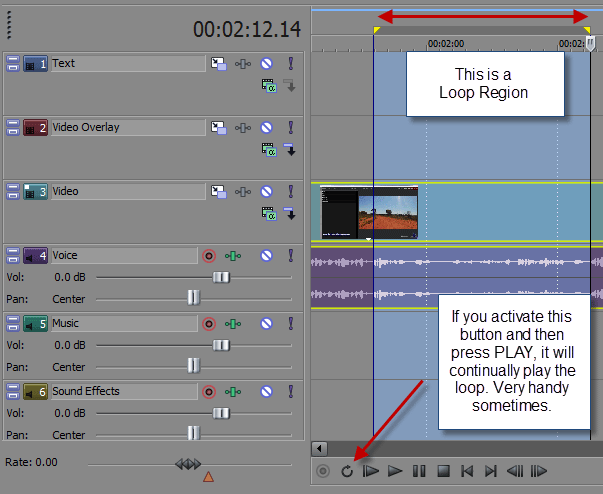
What a Loop Region looks like on the timeline
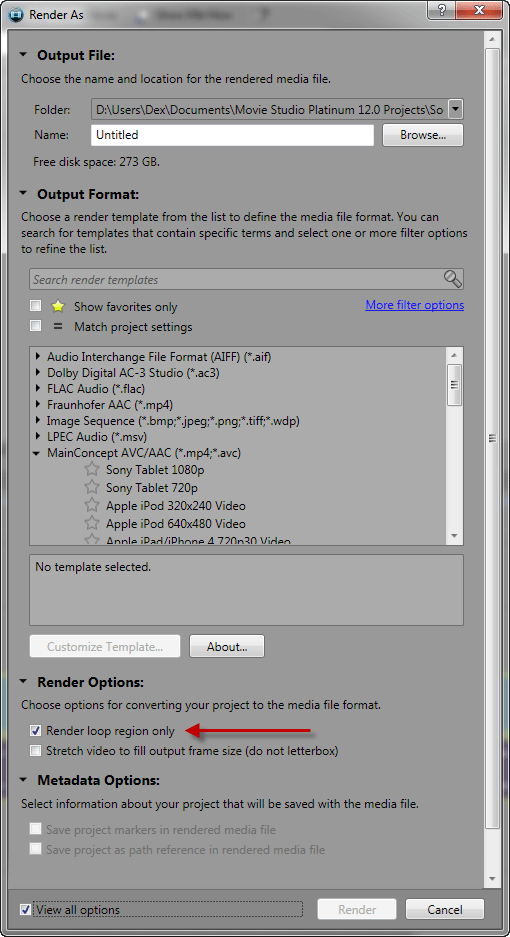
Here is where the Setting is hiding in the Render As window - turn it OFF !
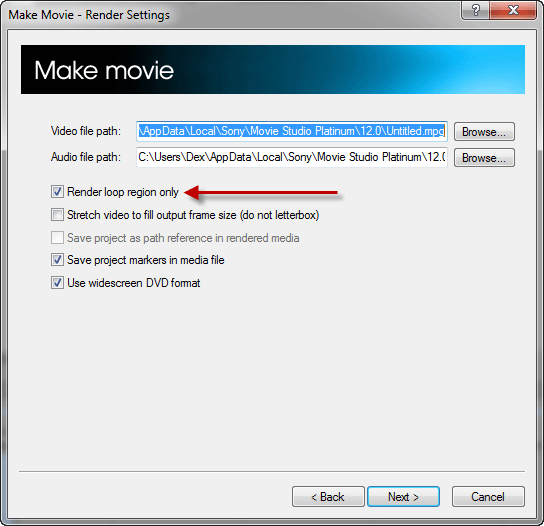
If you used the Make Movie function instead of Render As, here is where the setting is hiding - turn it OFF !
Video Tutorial
This information applies to all versions of Sony Movie Studio Platinum 12 and older, and Sony Vegas Pro.
Update for Movie Studio Platinum 13 users
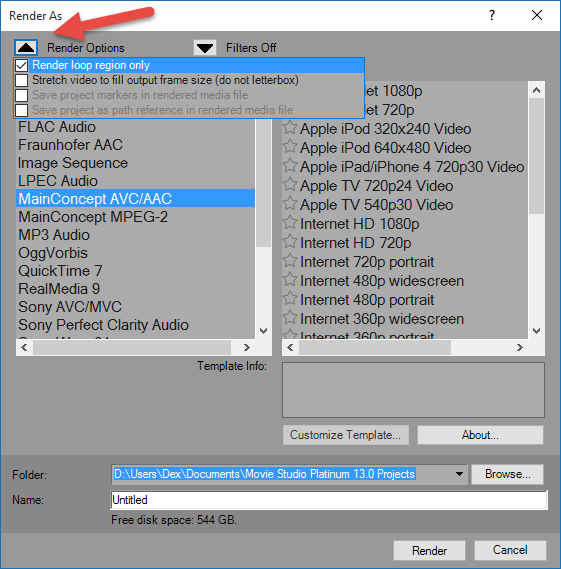
If you are using Movie Studio Platinum 13, you should no longer experience the problem of Render Loop Region Only turning on without your permission. The controls for rendering a Loop Region are now hidden underneath a new drop box in the Render As window.
To access these new controls, go to Make Movie/Save to Hard Drive/Advanced Options.