DISCLOSURE: Movie Studio Zen is supported by its audience. When you purchase through links on this site, we may earn an affiliate commission.
Solved Doesn't burn the entire video


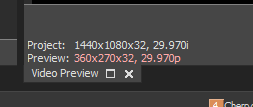
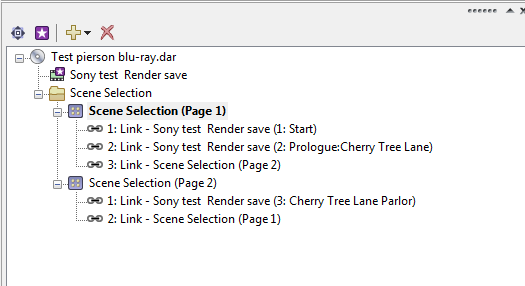
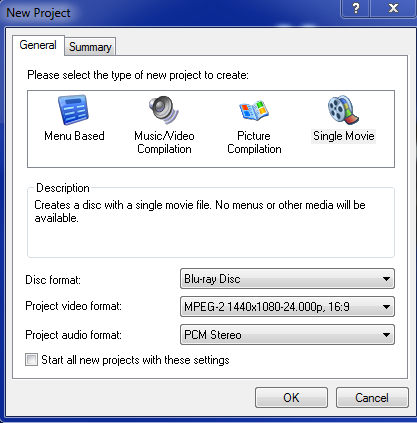
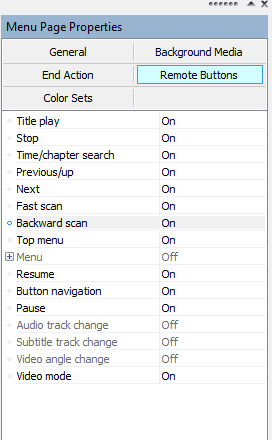
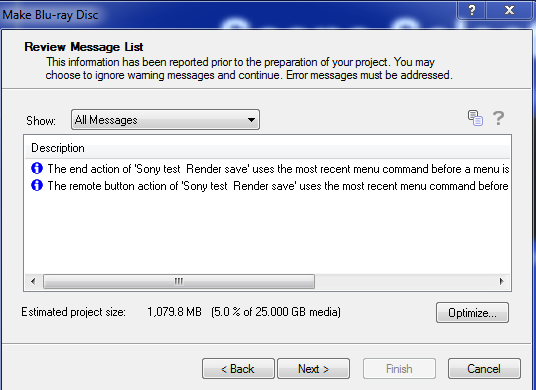
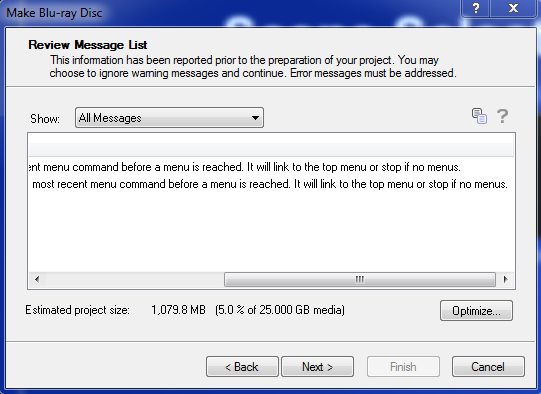
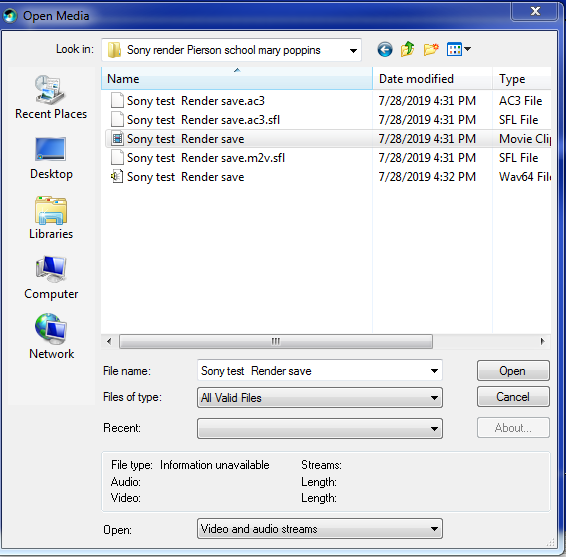
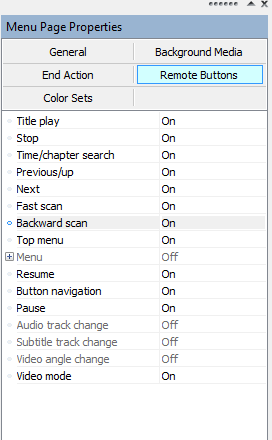
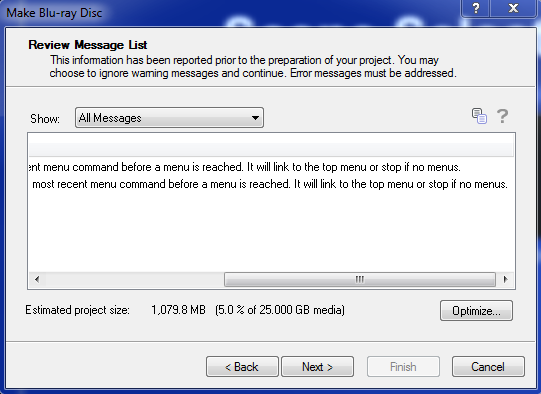
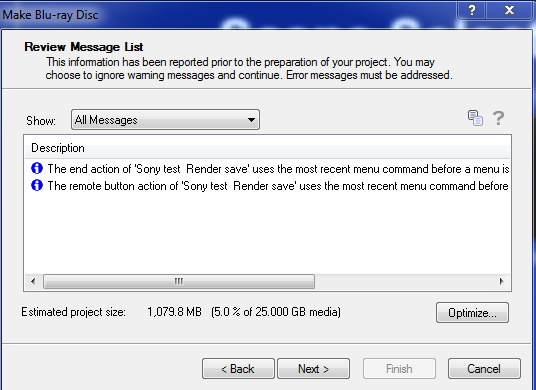
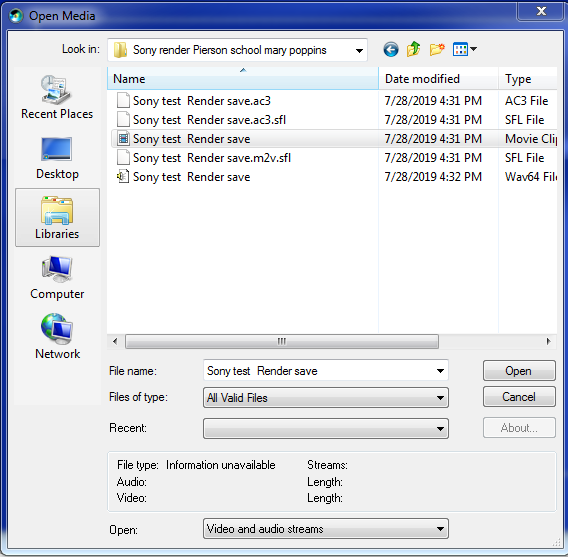
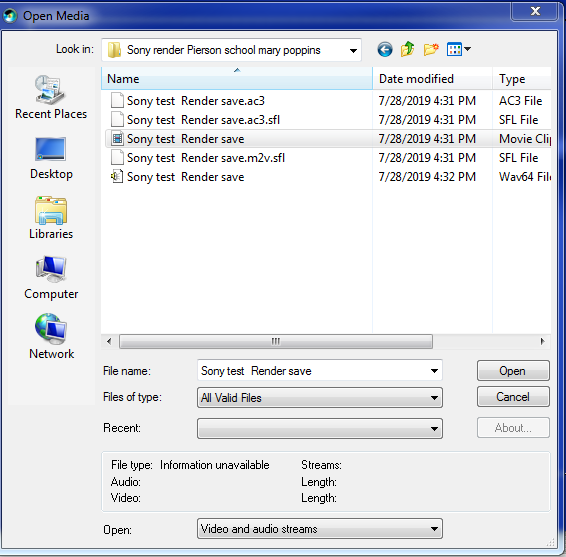
I just burned a blu-ray disk and when I put it in the blu-ray player it started right away from the begining. I selected "disk menu" from the remote and tried to play from one of the menu options and got the warning "Not available". When I pressed "Disk Menu" again it started the video again. Unfortuately, it had no audio and it's not the way I want it to work. Something is preventing the menus from operating. I have all the screen shots attached.
by Robert

Please Log in or Create an account to join the conversation.
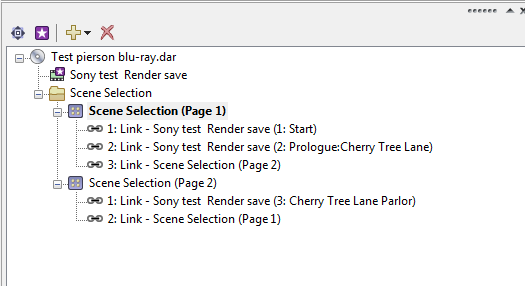
I just burned a blu-ray disk and when I put it in the blu-ray player it started right away from the begining. I selected "disk menu" from the remote and tried to play from one of the menu options and got the warning "Not available". When I pressed "Disk Menu" again it started the video again. Unfortuately, it had no audio and it's not the way I want it to work. Something is preventing the menus from operating. I have all the screen shots attached.
by Robert


Please Log in or Create an account to join the conversation.


I'm sorry, but I don't have much more time or energy to help you with this.
I am not well at the moment - I've been in and out of hospital and still feel quite ill and depressed, so I don't have my normal energy levels to deal with anything too complicated. Derek.
I wish I knew what was wrong, because there is nothing wrong with the program.
I make a lot of Blu-ray discs every year and have never experienced any problems like you are describing.
There is no difference between DVD and Blu-ray menu structures - if the same project works on a DVD, but doesn't work on a Blu-ray, that would indicate a Hardware or Driver problem.
This is my last attempt to try and help you.
If I can't help you after today, I recommend you post your problem on the official VEGAS Forums here:
www.vegascreativesoftware.info/us/news-forum/
Back to basics
Versions
To find which build version you have installed, open each program and go to Help/About
Which exact version of Vegas are you using ?
Which build version are you using ?
Example = Vegas Movie Studio 16 Platinum, build #142
Which exact version of DVD Architect are you using ?
Which build version are you using ?
Example = Vegas DVD Architect, build #1oo
DON'T switch between different versions of DVD Architect - this will just create confusion and add extra problems.
Use the version of DVD that came with your version of Vegas.
Video properties
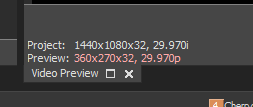
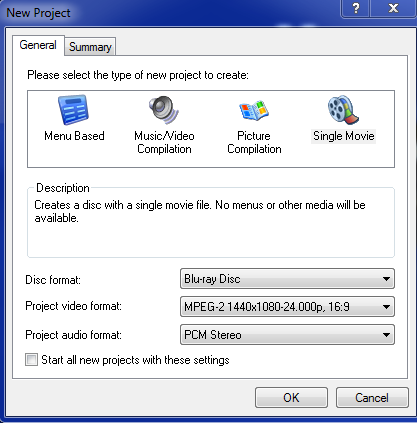
The information you should me in your original screen shots has now changed, compared to your latest upload of screen shots.
When people do this, it worries me that there are other things you are doing but not telling me.
I am talking about your Source Video files.
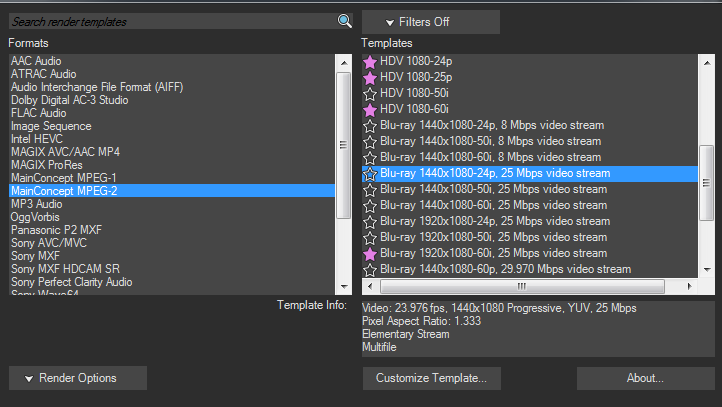
In your first screen shots you had DVD Architect set to 1920x1080-29.97i
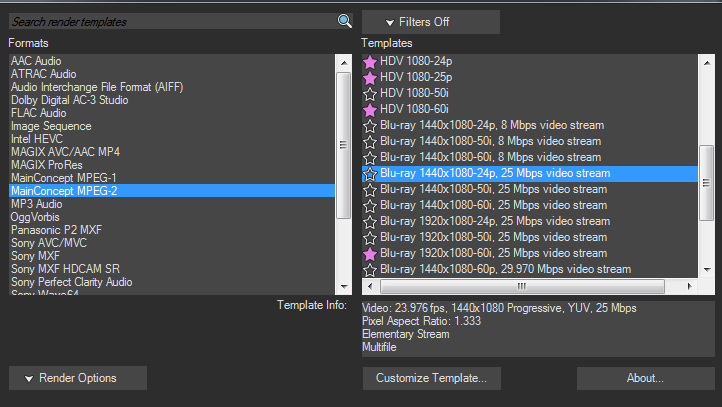
In your latest screen shots, you now have some settings set to 1440x1080-24p and some set to 1440x1080-29.97i
You must maintain the same settings all the way from Vegas to DVDA !
Open your project in Vegas.
Go to the Project Media tab.
Click on top of one of your videos.
What does the readout say below ?
Example = 1920x1080-24p
Audio properties
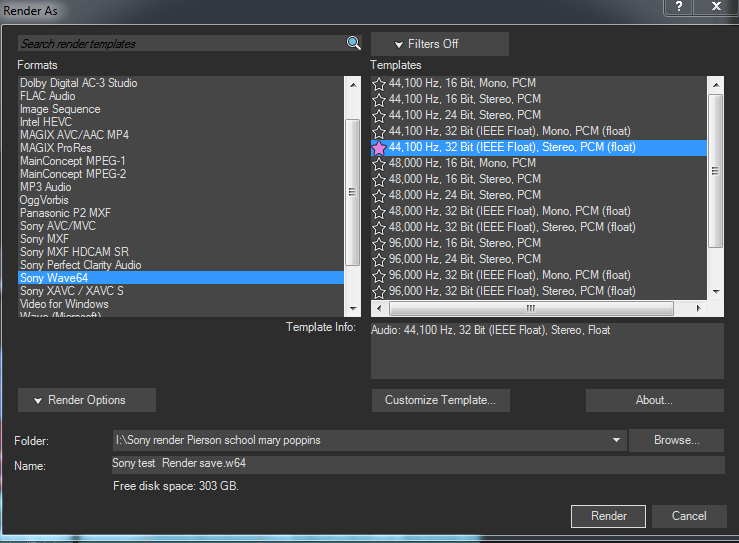
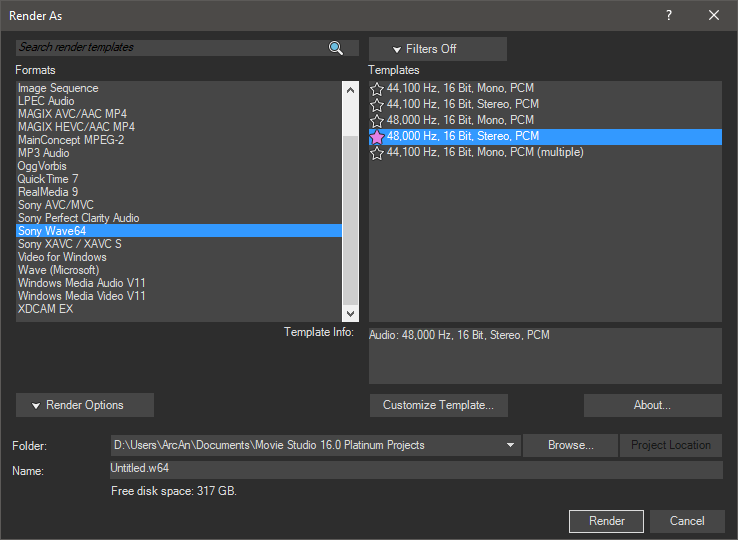
When it is time to render your audio file, there is only one option to use if you want to render to .wav
48,000 Hz, 16 Bit, Stereo, PCM
Don't use Float Point!
DVD Architect settings
Instead of uploading lots of screen shots, please upload a copy of your latest .dar DVD Architect project file.
This is the best way for me to inspect your project.
Different versions of your project
I cannot stress enough, just how important it is to delete everything that did not work!
Don't keep re-saving the same project.
Give each version a different name and save to a different/new folder.
I'm not saying you have been getting this wrong, just making sure you don't make a basic mistake.
Testing your Blu-ray project on your computer
If there is a problem with your Blu-ray player connected to your TV, there is a simple way to test this.
Open one of your failed Blu-rays in VLC media player and test menus here.
Does it work or also fail when navigating the menus ?
get.videolan.org/vlc/3.0.7.1/win64/vlc-3.0.7.1-win64.exe
Final thoughts
I am not proceeding any further with you, until I get answers to my new questions.
Once I get a new copy of your .dar DVDA project file, I will burn a test Blu-ray myself and test it.
I will use/replace one of my own videos that uses the same properties as your source video clips
If it works, it means there is something wrong with your Blu-ray player and/or the way your Blu-ray Burner is working on your computer.
I am not well at the moment - I've been in and out of hospital and still feel quite ill and depressed, so I don't have my normal energy levels to deal with anything too complicated. Derek.
I wish I knew what was wrong, because there is nothing wrong with the program.
I make a lot of Blu-ray discs every year and have never experienced any problems like you are describing.
There is no difference between DVD and Blu-ray menu structures - if the same project works on a DVD, but doesn't work on a Blu-ray, that would indicate a Hardware or Driver problem.
This is my last attempt to try and help you.
If I can't help you after today, I recommend you post your problem on the official VEGAS Forums here:
www.vegascreativesoftware.info/us/news-forum/
Back to basics
Versions
To find which build version you have installed, open each program and go to Help/About
Which exact version of Vegas are you using ?
Which build version are you using ?
Example = Vegas Movie Studio 16 Platinum, build #142
Which exact version of DVD Architect are you using ?
Which build version are you using ?
Example = Vegas DVD Architect, build #1oo
DON'T switch between different versions of DVD Architect - this will just create confusion and add extra problems.
Use the version of DVD that came with your version of Vegas.
Video properties
The information you should me in your original screen shots has now changed, compared to your latest upload of screen shots.
When people do this, it worries me that there are other things you are doing but not telling me.
I am talking about your Source Video files.
In your first screen shots you had DVD Architect set to 1920x1080-29.97i
In your latest screen shots, you now have some settings set to 1440x1080-24p and some set to 1440x1080-29.97i
You must maintain the same settings all the way from Vegas to DVDA !
Open your project in Vegas.
Go to the Project Media tab.
Click on top of one of your videos.
What does the readout say below ?
Example = 1920x1080-24p
Audio properties
When it is time to render your audio file, there is only one option to use if you want to render to .wav
48,000 Hz, 16 Bit, Stereo, PCM
Don't use Float Point!
DVD Architect settings
Instead of uploading lots of screen shots, please upload a copy of your latest .dar DVD Architect project file.
This is the best way for me to inspect your project.
Different versions of your project
I cannot stress enough, just how important it is to delete everything that did not work!
Don't keep re-saving the same project.
Give each version a different name and save to a different/new folder.
I'm not saying you have been getting this wrong, just making sure you don't make a basic mistake.
Testing your Blu-ray project on your computer
If there is a problem with your Blu-ray player connected to your TV, there is a simple way to test this.
Open one of your failed Blu-rays in VLC media player and test menus here.
Does it work or also fail when navigating the menus ?
get.videolan.org/vlc/3.0.7.1/win64/vlc-3.0.7.1-win64.exe
Final thoughts
I am not proceeding any further with you, until I get answers to my new questions.
Once I get a new copy of your .dar DVDA project file, I will burn a test Blu-ray myself and test it.
I will use/replace one of my own videos that uses the same properties as your source video clips
If it works, it means there is something wrong with your Blu-ray player and/or the way your Blu-ray Burner is working on your computer.
ℹ️ Remember to turn everything off at least once a week, including your brain, then sit somewhere quiet and just chill out.
Unplugging is the best way to find solutions to your problems. If you would like to share some love, post a customer testimonial or make a donation.
Unplugging is the best way to find solutions to your problems. If you would like to share some love, post a customer testimonial or make a donation.
Last Edit:29 Jul 2019 14:46 by DoctorZen
Please Log in or Create an account to join the conversation.
I'm sorry for the corn-fusion. I was trying to get back to a file that had worked a month ago. but, now it doesn't. I am on hold for a while now. I sent the Blu-Ray disk to the guy that wanted it to see if it's my Samsung model BD-JM57C player. I googled it and found some are having trouble with it after a software upgrade. So, all the work may have been in vain. Let's wait and see what the recipient says. I also sent one to my son for his input. I don't think I'm going to be doing too many of these Blu-Ray disks anyway. the difference isn't that much on my tv.
I hope you start to feel better soon. It's no fun getting serviced at the hospital. I went in for 3 days for what I thought was a heart attack. turned out it was GURD. Hasn't happened since and I haven't changed my diet.
Best of health to ya. Thanks for the advice. I'll let you know the results and what I find.
I hope you start to feel better soon. It's no fun getting serviced at the hospital. I went in for 3 days for what I thought was a heart attack. turned out it was GURD. Hasn't happened since and I haven't changed my diet.
Best of health to ya. Thanks for the advice. I'll let you know the results and what I find.
by Robert
Please Log in or Create an account to join the conversation.
Thanks for the reply Robert 
It sounds highly likely the problem is with your Blu-ray player.
As I said before, there is an easy test you can do on your computer.
If you play the Blu-ray disc using VLC media player, it will prove if your menus are working or not.
It sounds highly likely the problem is with your Blu-ray player.
As I said before, there is an easy test you can do on your computer.
If you play the Blu-ray disc using VLC media player, it will prove if your menus are working or not.
ℹ️ Remember to turn everything off at least once a week, including your brain, then sit somewhere quiet and just chill out.
Unplugging is the best way to find solutions to your problems. If you would like to share some love, post a customer testimonial or make a donation.
Unplugging is the best way to find solutions to your problems. If you would like to share some love, post a customer testimonial or make a donation.
by DoctorZen
Please Log in or Create an account to join the conversation.
I downloaded VLC and yes it works fine on the computer. Just not in the player. I hafta wait and see what the customer and my son says when they try it.
Robert
Robert
by Robert
Please Log in or Create an account to join the conversation.
Well, the verdict is in. The customer received the blu-ray disk today and it worked in his player. I guess Samsung has an issue with home burned disks. I will be in contact with them about this issue and let you know what they say.
I'm sorry you had to spend so much time trying to figure out something that wasn't a problem with the software or the way i was burning the disks. I do appreciate all you've done for me. I thank you from the bottom of my heart for sticking with me through this.
Robert
I'm sorry you had to spend so much time trying to figure out something that wasn't a problem with the software or the way i was burning the disks. I do appreciate all you've done for me. I thank you from the bottom of my heart for sticking with me through this.
Robert
Last Edit:01 Aug 2019 14:02 by Robert
Please Log in or Create an account to join the conversation.
Thank you for reporting back Robert - I really do appreciate this
We can safely say that you have officially experienced an X-file. Welcome to the club !

We can safely say that you have officially experienced an X-file. Welcome to the club !
ℹ️ Remember to turn everything off at least once a week, including your brain, then sit somewhere quiet and just chill out.
Unplugging is the best way to find solutions to your problems. If you would like to share some love, post a customer testimonial or make a donation.
Unplugging is the best way to find solutions to your problems. If you would like to share some love, post a customer testimonial or make a donation.
by DoctorZen
Please Log in or Create an account to join the conversation.
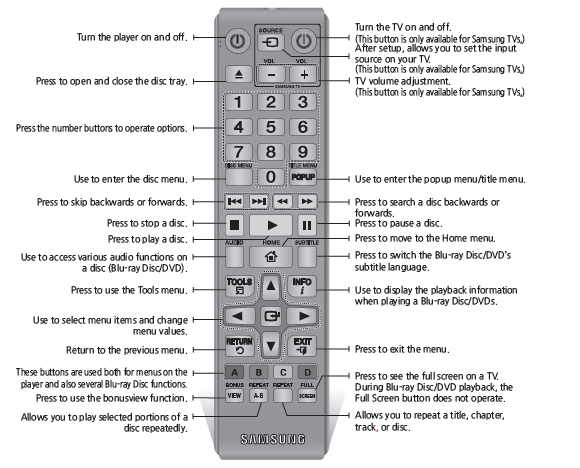
I contacted Samsung and explained the problem I'm having. They told me I had to select the right arrow button and the select the enter button that's located in the center of the arrows. I've never had to do this before. I just pushed the disk in and select play. They must have changed something. At any rate it's working now and I know the key to it.
Again thanks for the assistance in resolving my problem. I just thought a final bit of info would be of assistance to someone else.
Again thanks for the assistance in resolving my problem. I just thought a final bit of info would be of assistance to someone else.
Last Edit:06 Aug 2019 12:09 by Robert
The following user(s) said Thank You: DoctorZen
Please Log in or Create an account to join the conversation.
I'm sure this will help someone else in the future!
ℹ️ Remember to turn everything off at least once a week, including your brain, then sit somewhere quiet and just chill out.
Unplugging is the best way to find solutions to your problems. If you would like to share some love, post a customer testimonial or make a donation.
Unplugging is the best way to find solutions to your problems. If you would like to share some love, post a customer testimonial or make a donation.
by DoctorZen
Please Log in or Create an account to join the conversation.
Forum Access
- Not Allowed: to create new topic.
- Not Allowed: to reply.
- Not Allowed: to edit your message.
Moderators: DoctorZen
Time to create page: 2.758 seconds